Swiggy Meal Subscriptions
Designing a scheduling and subscription feature for food delivery
The Task
Regular Swiggy users don't have time when they actually want to order food. The challenge was to build a feature that allows users to schedule orders and create weekly or monthly meal subscriptions.
Goal
Allow customers to save time and order food more frequently — aiming for 15-20 orders per month through automated scheduling and subscriptions.
Audience
The primary audience is corporate employees, fitness enthusiasts, entrepreneurs, and anyone busy during the day who needs to save time on food ordering. Food is delivered to offices during lunch hours and to homes for dinner.
Three User Flows
Flow 1: From Box Page
Flow 2: From Past Orders
Flow 3: From Favorites
Subscription Design — 3 Steps
Step 1: Add Food Items
Same experience as normal ordering — users browse restaurants, select items, and add them to their subscription cart.
Step 2: Name & Categorize
Name the subscription and choose the meal type (breakfast, lunch, dinner) for easy identification and management.
Step 3: Schedule & Plan
Choose a plan (Weekly or Monthly), select specific days of the week, and set the auto-order time for each delivery.
Order Notifications
After adding a subscription, food is ordered automatically at the selected time. Notifications keep users updated at each stage:
Design Approach
- — Only one CTA button — Following Swiggy's existing pattern — no deviations when performing a task
- — Mimicked existing ordering flow — Adding food to a subscription feels identical to normal food ordering — reduced learning curve
- — Split into 2 clear steps — Step 1: Add food items to cart (familiar). Step 2: Create subscription with schedule and payment.
- — Input optimization — Minimized input fields and used tap gestures wherever possible. Day selection uses tappable S M T W F buttons instead of dropdowns.
Constraints & Edge Cases
- — Food items can only be from one restaurant per subscription — Swiggy's system prohibits multi-restaurant orders
- — No modifications allowed after a subscription period starts — avoids billing complications and user confusion
- — Average delivery charge based on past orders is built into the subscription fee — Swiggy may incur losses with this approach
- — System notifies users if a restaurant is closed on a scheduled day and cancels that order
- — Users cannot add extra food items once a subscription period has begun — prevents billing calculation issues
# Swiggy Meal Subscriptions
> Designing a scheduling and subscription feature for food delivery

- Role: Product Designer
- Type: Feature Design
- Timeline: Case Study

## The Task

Regular Swiggy users don't have time when they actually want to order food. The challenge was to build a feature that allows users to schedule orders and create weekly or monthly meal subscriptions.

## Goal

Allow customers to save time and order food more frequently — aiming for 15-20 orders per month through automated scheduling and subscriptions.

## Audience

The primary audience is corporate employees, fitness enthusiasts, entrepreneurs, and anyone busy during the day who needs to save time on food ordering. Food is delivered to offices during lunch hours and to homes for dinner.

## Three User Flows

### Flow 1: From Box Page

- Box page -> Tooltip prompt -> Subscription page

### Flow 2: From Past Orders

- Past orders -> Select order -> Convert to subscription

### Flow 3: From Favorites

- Favorites -> Select favorite -> Convert to subscription

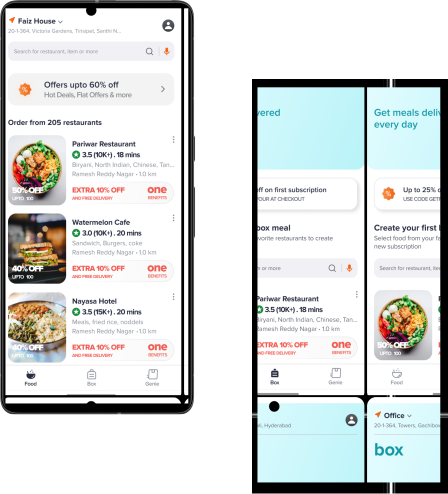
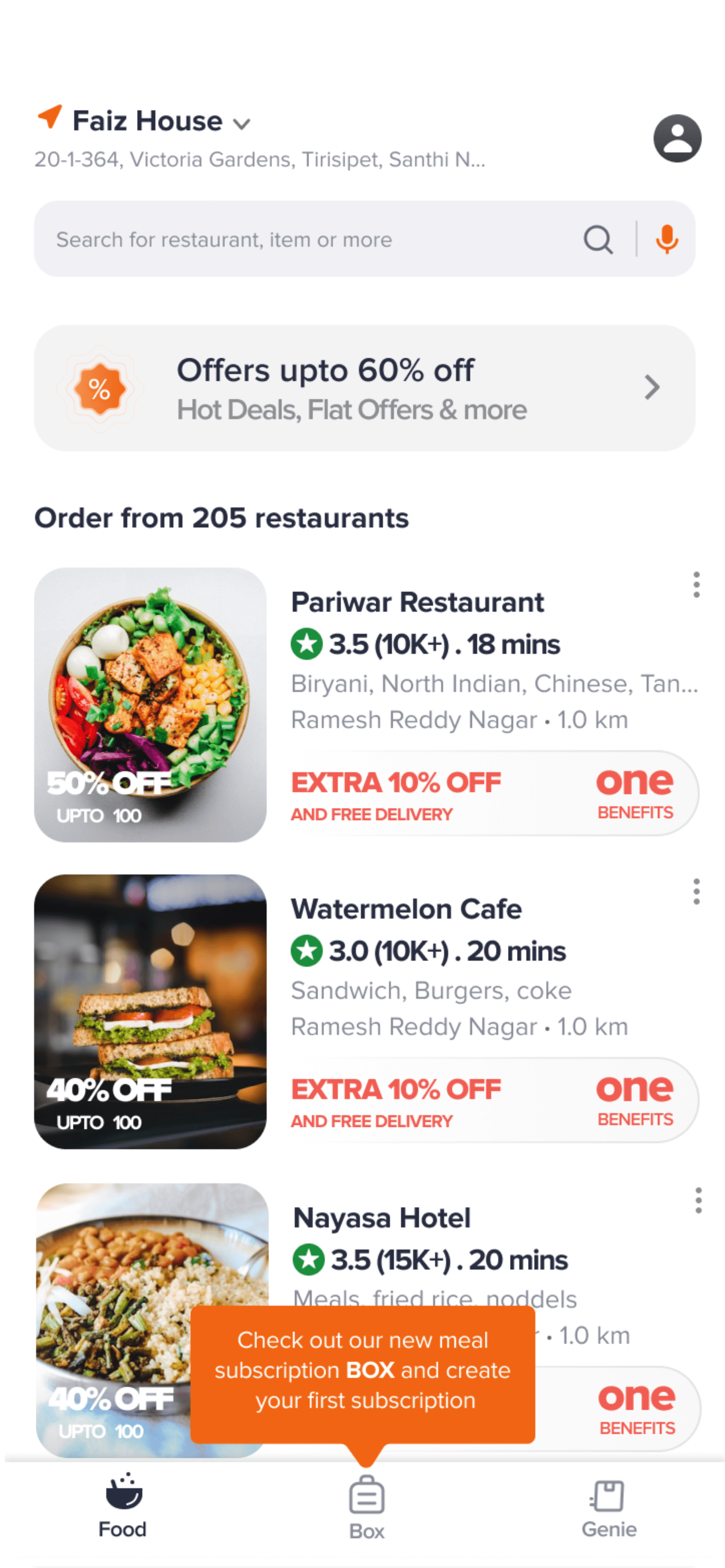
- Box Entry Point: The subscription entry starts inside the existing home feed, using a box callout to push users toward meal planning without forcing them into a separate unfamiliar flow.
- Home Feed Integration: The feature lives inside the normal Swiggy browsing experience so users can discover meal subscriptions while ordering from restaurants they already know.

## Subscription Design — 3 Steps

### Step 1: Add Food Items

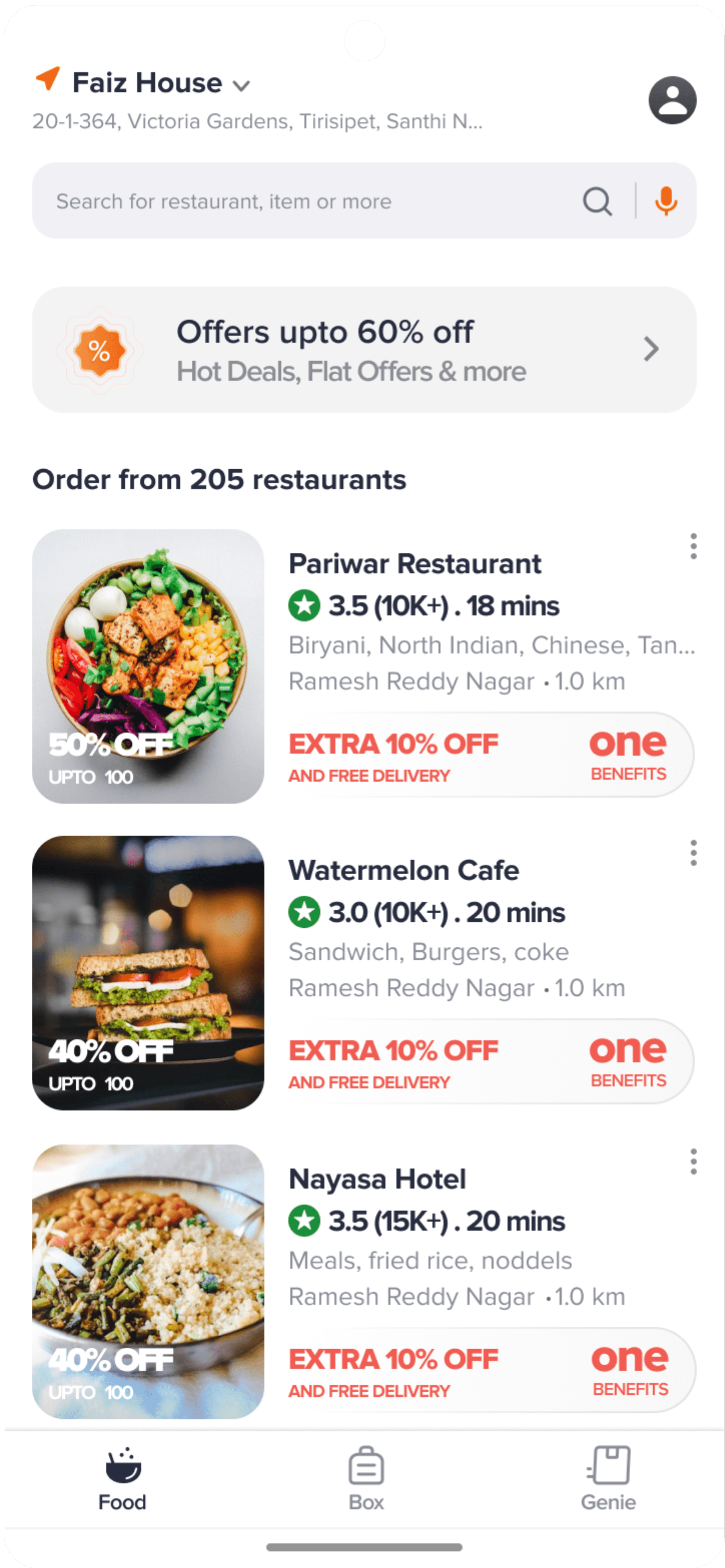
Same experience as normal ordering — users browse restaurants, select items, and add them to their subscription cart.

### Step 2: Name & Categorize

Name the subscription and choose the meal type (breakfast, lunch, dinner) for easy identification and management.

### Step 3: Schedule & Plan

Choose a plan (Weekly or Monthly), select specific days of the week, and set the auto-order time for each delivery.

- Subscription Menu Flow: Food selection feels like regular ordering: browse a restaurant, add items, and move toward a subscription plan without learning a brand-new interaction model.

## Order Notifications

After adding a subscription, food is ordered automatically at the selected time. Notifications keep users updated at each stage:

- 15 min before — Upcoming order reminder (Cancel option) -> Order received — Agent will pick up -> Agent picked up — Delivery in 20 min -> Agent reached — Please pick your order (Call Agent) -> Delivered — Rate experience

## Design Approach

- Only one CTA button - Following Swiggy's existing pattern — no deviations when performing a task
- Mimicked existing ordering flow - Adding food to a subscription feels identical to normal food ordering — reduced learning curve
- Split into 2 clear steps - Step 1: Add food items to cart (familiar). Step 2: Create subscription with schedule and payment.
- Input optimization - Minimized input fields and used tap gestures wherever possible. Day selection uses tappable S M T W F buttons instead of dropdowns.

## Constraints & Edge Cases

- Food items can only be from one restaurant per subscription — Swiggy's system prohibits multi-restaurant orders
- No modifications allowed after a subscription period starts — avoids billing complications and user confusion
- Average delivery charge based on past orders is built into the subscription fee — Swiggy may incur losses with this approach
- System notifies users if a restaurant is closed on a scheduled day and cancels that order
- Users cannot add extra food items once a subscription period has begun — prevents billing calculation issues